
type
Post
status
Published
date
Apr 9, 2026
slug
post-38
summary
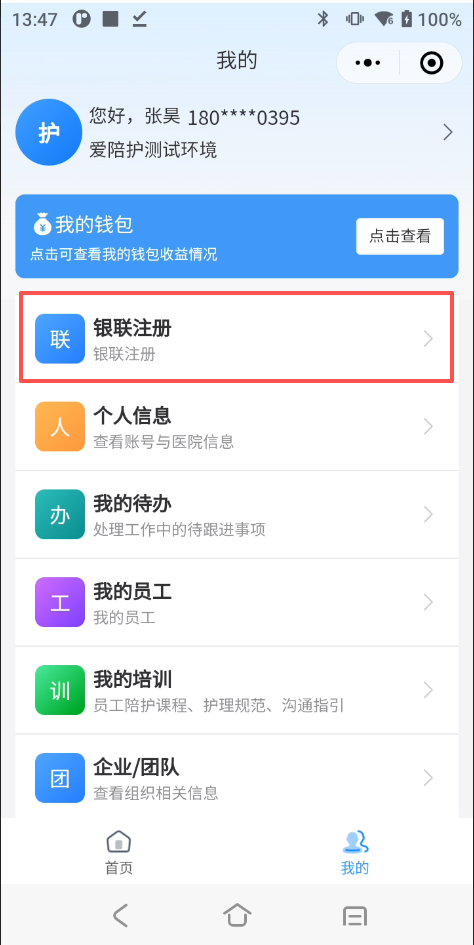
一、更换入口 1. 我的→银联注册
tags
银联
教程
category
陪护模块
icon
password
创建时间
摘要
原文地址
作者
更换场景:
- 身份证超过有效期更换
- 原银行卡冻结或注销
一、更换入口
- 我的→银联注册
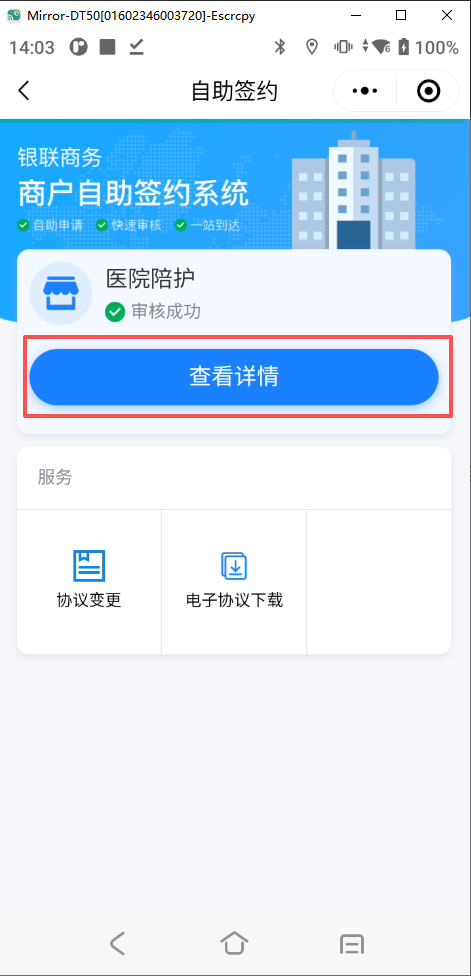
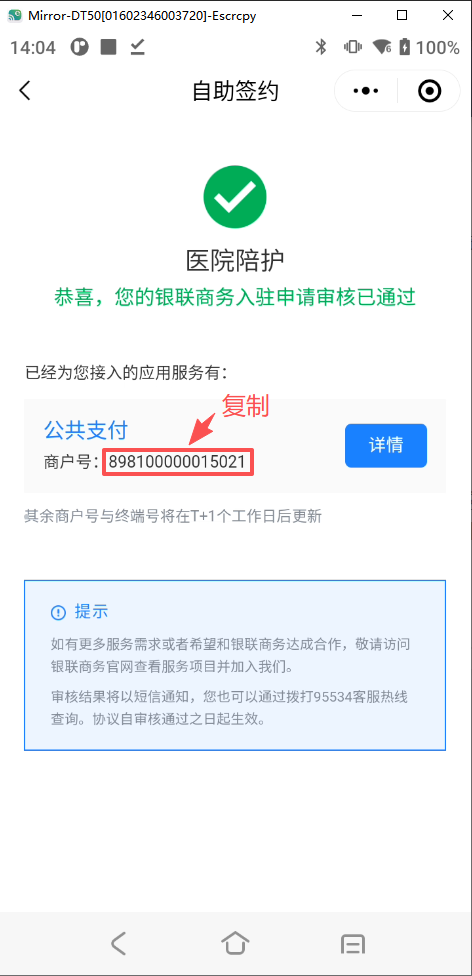
- 进入“查看详情”先复制“商户号”
- 进入协议变更界面
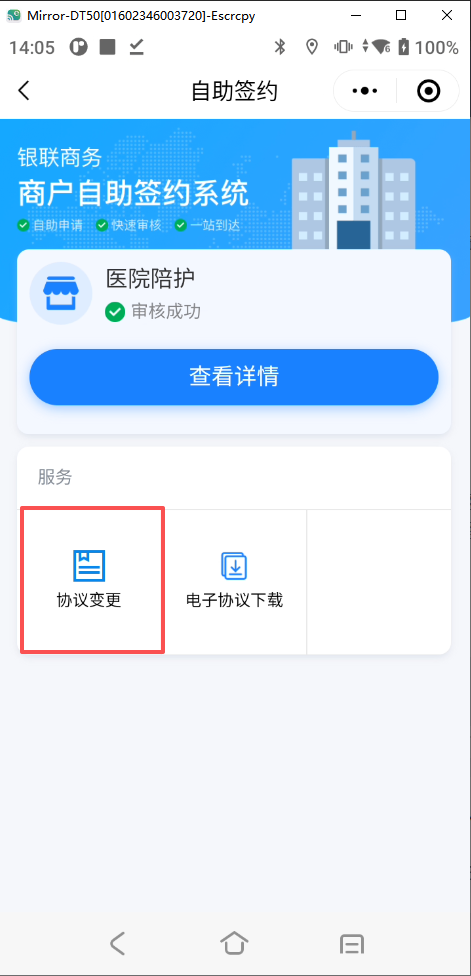
- 添加协议变更申请
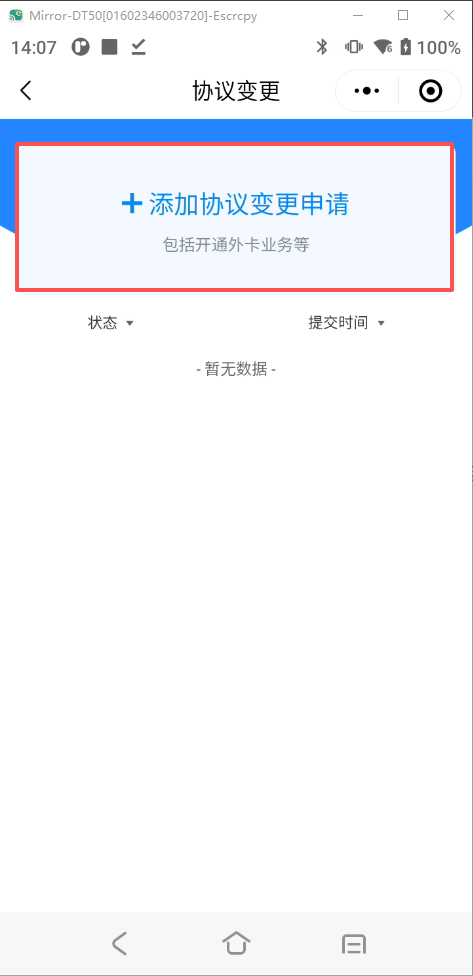
二、更换银行卡
- 选择“结算账户变更”
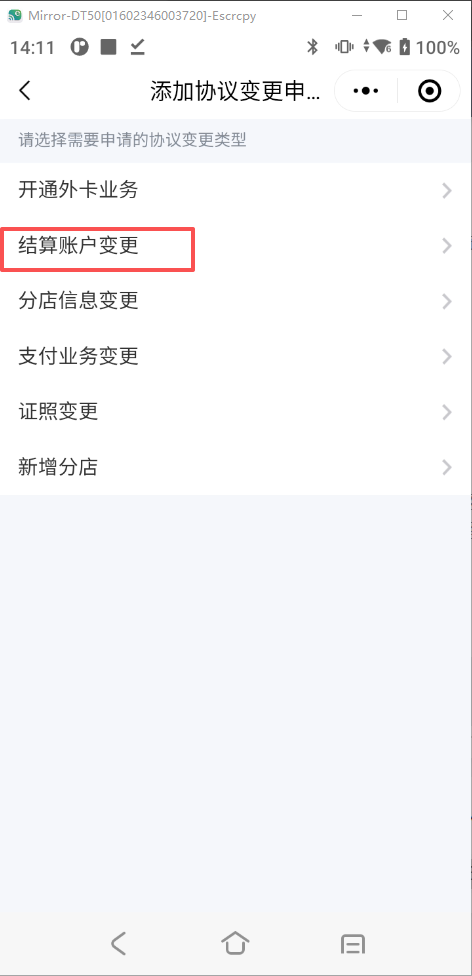
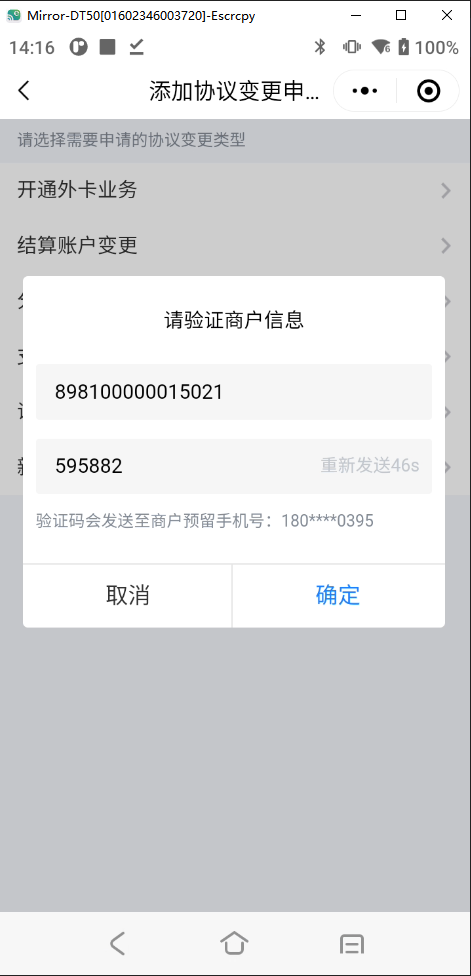
- 填写“商户编号”,并获取手机验证码填入
- 选择原账户,并填写变更后的银行卡信息
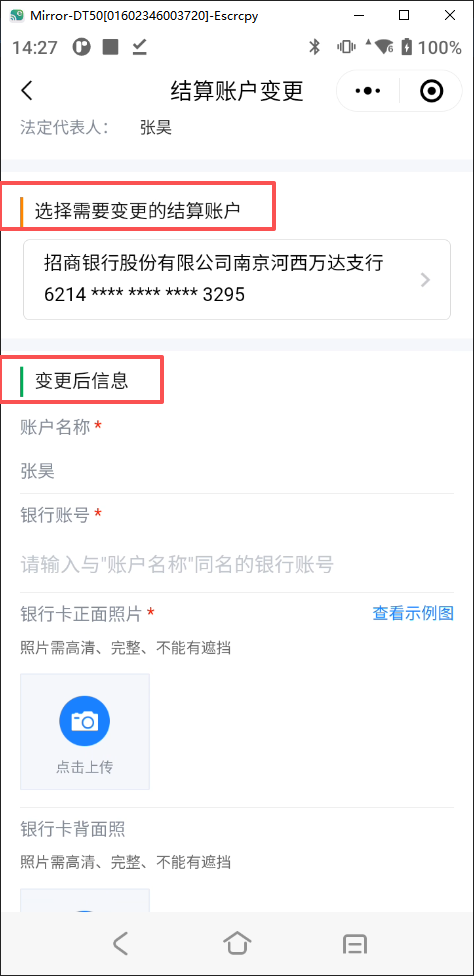
- 提交
三、更换身份证
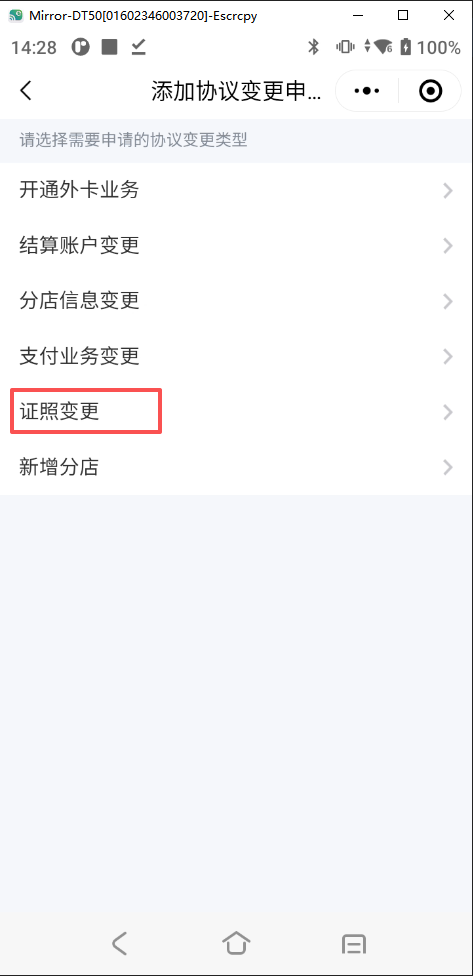
- 选择“证照变更”
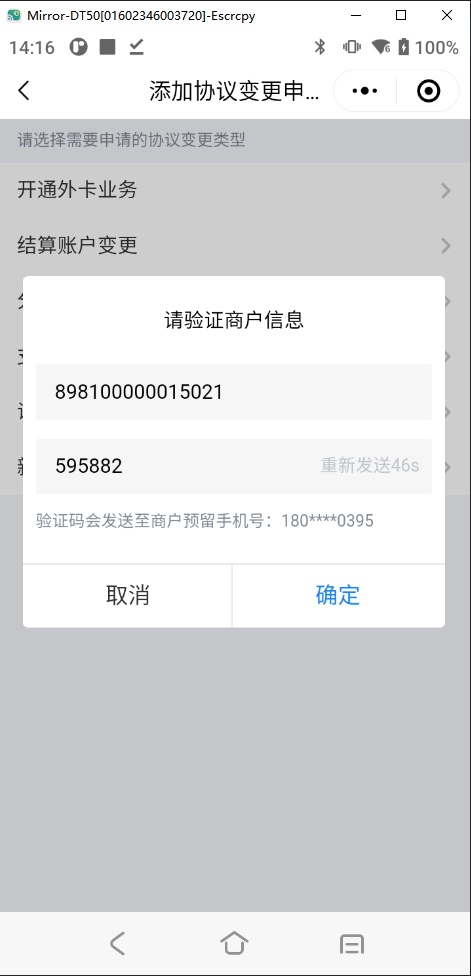
- 填写“商户编号”,并获取手机验证码填入
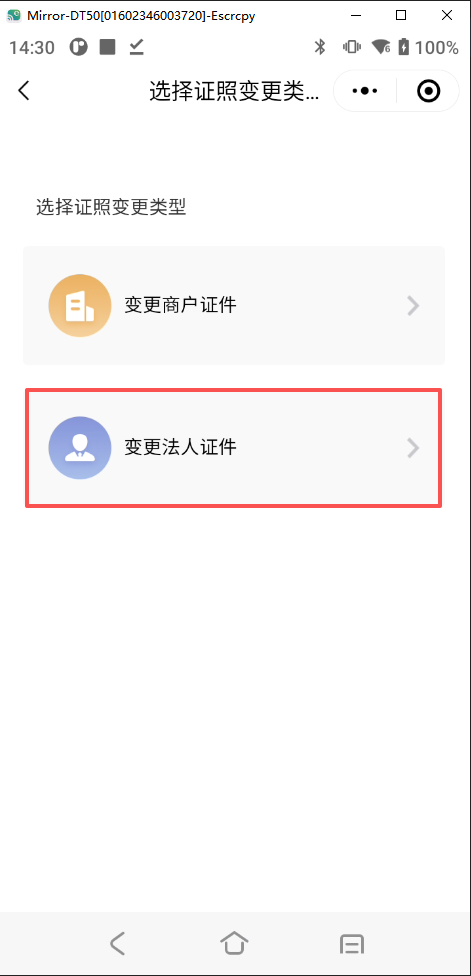
- 选择“变更法人证件”
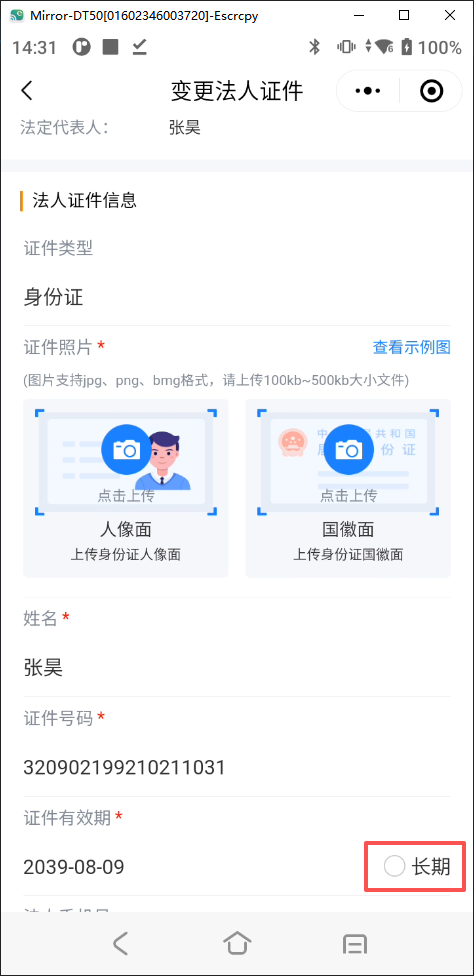
- 填写相关身份证信息,如有身份证有效期为长期有效,勾选“长期”即可
- 提交
- 作者:COE
- 链接:http://preview.tangly1024.com/article/post-38
- 声明:本文采用 CC BY-NC-SA 4.0 许可协议,转载请注明出处。
.png?table=block&id=348c1943-da97-8033-91c3-ed47ec577710&t=348c1943-da97-8033-91c3-ed47ec577710)

.webp?table=block&id=2cfc1943-da97-80b4-a39a-f39ff8544b7b&t=2cfc1943-da97-80b4-a39a-f39ff8544b7b)
.ico?table=collection&id=29ac1943-da97-816d-a47a-000baa90c628&t=29ac1943-da97-816d-a47a-000baa90c628)


